Ms capcha with webconfig setting
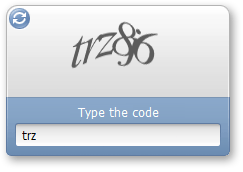
Web-config setting
Put Below System.webserver
<system.webServer>
<modules runAllManagedModulesForAllRequests=”true”/>
<handlers>
<add name=”MSCaptcha” verb=”GET” path=”CaptchaImage.axd” type=”MSCaptcha.CaptchaImageHandler, MSCaptcha”/>
</handlers>
</system.webServer>
Put in http handler in system.web
<httpHandlers>
<add verb="GET" path="CaptchaImage.axd"
type="MSCaptcha.CaptchaImageHandler, MSCaptcha"/>
</httpHandlers>
=> This capcha is server control add dll in tool box.